
Affiliate Disclosure: Koinlift may earn a commission from purchases made through links on this page, including Amazon and other affiliate partners, at no additional cost to you. As an Amazon Associate, Koinlift earns from qualifying purchases.
Handheld gaming has become a lot more versatile over the past few years. With consoles like the Nintendo Switch 2, Steam Deck, and ROG Ally, there are now more ways than ever to build a portable gaming setup around how and where you like to play.
But what about the accessories?
If you’ve ever shopped for handheld gaming accessories, you’ve probably noticed that many products are advertised for one specific console. While some accessories are designed exclusively for a particular handheld, others can work across multiple devices.
That’s where cross-platform handheld gaming accessories come in.
Instead of buying separate headphones, chargers, controllers, or travel accessories for every handheld you own, you may be able to use the same accessories across several devices.
Of course, not everything is universally compatible. Some accessories require specific connections, power requirements, or additional adapters.
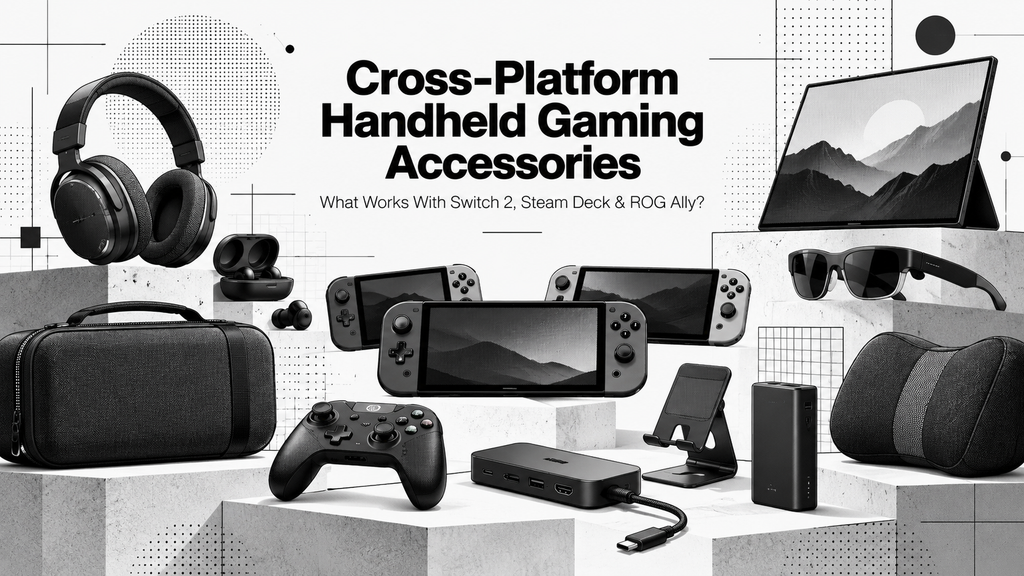
In this guide, we’ll explore everyday cross-platform accessories worth considering, along with some more specialized upgrades that can make portable gaming a little more interesting.
🔁 What Are Cross-Platform Handheld Gaming Accessories?
Cross-platform accessories are products that can be used with more than one gaming console or device.
For example, a pair of wired headphones with a standard 3.5 mm connection can work with many handheld gaming systems. Similarly, a compatible USB-C charger could potentially power your handheld, phone, tablet, and other electronics.
Other accessories, such as docks and controllers, can also support multiple devices, although compatibility tends to be more complicated.
Cross-platform accessories are particularly useful if you:
- Own more than one handheld gaming console.
- Plan to upgrade or change consoles in the future.
- Want to avoid buying duplicate accessories.
- Prefer a smaller, more organized gaming setup.
- Frequently travel with your gaming devices.
The idea isn’t necessarily to buy accessories labeled as universal. It’s to find products that genuinely work with your devices and remain useful even if your gaming setup changes.
For additional products and categories, explore the Koinlift Cross-Platform Accessories Hub.
⭐ Everyday Cross-Platform Handheld Gaming Accessories
Let’s start with the accessory categories most relevant to everyday handheld gaming.
These are the types of products worth considering first if you’re building a portable setup, particularly if you own more than one console.
🎧 1. Audio Accessories
🛍️ Popular Brand to Explore: Soundcore↗️
Audio accessories are one of the easiest categories to share across different gaming systems.
Whether you prefer headphones, wireless earbuds, wired earbuds, or in-ear monitors (IEMs), there are plenty of options that can work with multiple handhelds.
For someone who regularly travels or plays in public spaces, having a reliable pair of headphones can also be more useful than buying another controller or protective accessory.
Common audio accessories include:
- Wireless Earbuds: Compact and convenient for travel.
- Wired Earbuds: Simple connections with generally low audio latency.
- Gaming Headsets: Useful for longer sessions and voice chat.
- IEM Earphones: Small wired earphones with a variety of sound signatures and fit options.
- Over-Ear Headphones: Comfortable listening for players who prefer larger headphones.
What to Consider
Connection type is the most important thing to check.
A wired headset using a compatible 3.5 mm connection can be a straightforward option across different handhelds.
Bluetooth headphones are also convenient, but audio latency, microphone support, and supported wireless features can vary depending on the device.
USB-C audio accessories deserve extra attention because not every console supports every USB-C audio connection or wireless dongle.
If you already have a good pair of headphones, it’s worth checking whether they’re compatible before buying a dedicated gaming headset.
More on Soundcore
Soundcore offers a wide selection of wireless earbuds and headphones, ranging from compact everyday listening options to noise-canceling models.
It’s a useful brand to explore if you want audio accessories that can also serve your phone, tablet, or other compatible devices.
🎮 2. Cross-Platform Controllers
🛍️ Popular Brand to Explore: 8BitDo↗️
Controllers are another interesting category, especially for gamers who frequently switch between handheld and docked play.
You might prefer using your console’s built-in controls while traveling, but connecting an external controller can make longer sessions more comfortable.
This is particularly useful for Steam Deck and ROG Ally owners who occasionally connect their handhelds to a monitor or TV.
Common controller options include:
- Wireless Bluetooth controllers
- Wired USB controllers
- Multi-platform gamepads
- Compact travel controllers
- Controllers with programmable buttons
Some third-party controllers support multiple platforms through different connection modes or wireless adapters.
What to Consider
Don’t assume that Bluetooth support automatically means a controller works with every handheld.
Nintendo Switch 2, Steam Deck, and Windows-based ROG Ally devices can have different controller requirements.
Before buying, check supported platforms, pairing modes, button layouts, firmware requirements, and whether features such as motion controls or vibration are supported.
You should also consider whether the controller works in the games you actually intend to play.
More on 8BitDo
8BitDo is known for retro-inspired and modern controllers, including models designed for different consoles and PC gaming setups.
Some models support multiple platforms, making the brand worth exploring if you want a controller that can serve more than one device. Compatibility depends on the specific model.
🖥️ 3. Docks & USB-C Hubs
🛍️ Popular Brand to Explore: JSAUX↗️
One of the biggest advantages of modern handheld gaming is the ability to connect certain devices to larger displays.
With the right dock or USB-C hub, a handheld can become part of a more traditional gaming setup.
Instead of being limited to the built-in screen, you may be able to connect your console to a monitor or television while using external controllers and other accessories.
Common docking accessories include:
- Compact USB-C hubs
- Multi-port docking stations
- HDMI display adapters
- USB-C Power Delivery docks
- Docks with Ethernet and additional USB ports
A compact hub can be useful for travel, while a larger docking station may make more sense for a permanent desk setup.
What to Consider
This is one category where compatibility matters considerably.
Steam Deck and ROG Ally generally support compatible USB-C docking accessories, but video output, charging performance, and supported features depend on the hardware.
Nintendo Switch 2 has its own docking requirements. A dock advertised for Steam Deck or ROG Ally shouldn’t automatically be considered Switch 2 compatible.
Pay attention to charging specifications, display output, supported resolutions, and any manufacturer compatibility statements.
More on JSAUX
JSAUX produces docking stations, USB-C accessories, and other products for handheld gaming systems.
Its selection is worth exploring for Steam Deck and ROG Ally setups, as well as specifically supported multi-console accessories.
Browse Cross-Platform Docks on Koinlift.
🎒 4. Carrying Bags & Accessory Organizers
🛍️ Popular Brand to Explore: tomtoc↗️
Carrying cases are essential for protecting handheld gaming devices, but most fitted console cases aren’t truly cross-platform.
A case specifically designed for Nintendo Switch 2 may not accommodate a Steam Deck or ROG Ally, even if the devices appear similar in size.
However, larger travel bags and accessory organizers can provide a more flexible alternative.
Instead of fitting one particular handheld, these bags are often designed around adjustable storage compartments, pockets, and equipment organization.
Common options include:
- Handheld gaming travel bags
- Multi-device carrying bags
- Cable organizer pouches
- Adjustable electronics organizers
- Large accessory storage cases
These are particularly useful for gamers who travel with chargers, controllers, cables, headphones, and other accessories.
What to Consider
Size and internal layout matter more than the product’s marketing label.
A bag may have enough room for multiple handheld models, but that doesn’t automatically mean it provides the protection needed for each one.
Look for padded compartments, adjustable dividers, secure closures, and enough space for accessories without placing excessive pressure on the console.
For valuable handhelds, a properly fitted protective case inside a larger travel bag may be a better solution than relying on a loose compartment.
More on tomtoc
tomtoc produces protective bags, electronics organizers, and carrying solutions for gaming devices and everyday electronics.
Its larger bags and organizers may be useful for building flexible travel setups, although individual handheld dimensions and protective requirements should always be checked.
🔋 5. Charging & Portable Power
🛍️ Popular Brand to Explore: Anker↗️
Charging accessories are among the most useful products to consider when building a multi-device gaming setup.
Many modern handhelds use USB-C charging, which creates opportunities to share compatible chargers, cables, and power banks.
For example, a suitably rated USB-C charger may be useful for your handheld gaming console, smartphone, tablet, and other electronics.
Common charging accessories include:
- USB-C Power Delivery wall chargers
- GaN multi-port chargers
- Portable power banks
- High-wattage USB-C cables
- Compact travel charging adapters
Portable power banks are particularly useful for longer trips or gaming sessions away from an electrical outlet.
What to Consider
The main thing to remember is that sharing a USB-C connection doesn’t mean every charger provides the same performance.
Different handhelds have different power requirements.
A lower-wattage charger might charge one device normally while charging another slowly or struggling to keep up during gameplay.
Check the manufacturer’s power requirements, USB-C Power Delivery support, cable ratings, and the available power on each port of a multi-port charger.
More on Anker
Anker produces USB-C chargers, portable power banks, charging cables, and multi-device charging accessories.
It’s a practical brand to explore if you want charging equipment that can serve several compatible electronics, rather than buying a completely separate charger for every device.
Explore Cross-Platform Charging & Power Accessories on Koinlift.
🧍 6. Stands & Mounts
🛍️ Popular Brand to Explore: UGREEN↗️
Stands are easy to overlook, but they can be useful accessories for handheld gaming.
A portable stand allows you to position your console on a desk or table instead of holding it throughout an entire gaming session.
Pair that with an external controller, and you’ve created a simple tabletop setup without needing a larger dock.
Common options include:
- Foldable tabletop stands
- Adjustable device holders
- Desktop mounts
- Multi-angle stands
- Portable monitor stands
These accessories can also be useful when pairing a handheld with a compact keyboard, mouse, or external controller.
What to Consider
Not every stand can safely support the same device.
Heavier handheld PCs may require a wider base or stronger support than a smartphone or small tablet.
Check the supported weight, device thickness, stability, and whether the stand blocks vents, ports, or buttons.
More on UGREEN
UGREEN offers adjustable stands, device holders, USB-C accessories, and desktop organization products.
Its stands are worth considering for portable gaming setups, provided the selected model can safely support your handheld’s size and weight.
🌟 Specialized & Interesting Portable Gaming Upgrades
The previous categories cover accessories that are useful in a wide range of situations.
But portable gaming isn’t limited to carrying cases, controllers, and chargers.
There are also more specialized accessories that can change how you use your handheld, even if they aren’t necessary for everyday gaming.
🖥️ 7. Portable Monitors
🛍️ Popular Brand to Explore: ARZOPA↗️
Portable monitors allow you to connect compatible handheld gaming devices to a larger screen without needing a full desktop monitor or television.
They’re particularly interesting for people who travel frequently, work from different locations, or want a compact desk setup.
A portable monitor can turn a Steam Deck or ROG Ally into something closer to a small gaming station when paired with a controller, keyboard, or mouse.
Common uses include:
- Travel gaming setups
- Compact desk gaming
- Hotel-room entertainment
- Shared-screen gaming
- Portable productivity setups
What to Consider
A portable monitor isn’t always a simple plug-and-play accessory.
Check whether the handheld supports the monitor’s input connection, whether an additional dock or adapter is required, and how the display receives power.
Steam Deck and ROG Ally can use compatible external displays through supported video connections.
Nintendo Switch 2 may require its dock or another specifically compatible video-output solution rather than a basic USB-C monitor cable.
Also consider screen size, resolution, refresh rate, and portability.
More on ARZOPA
ARZOPA offers portable monitors for gaming and productivity, including lightweight displays and higher-refresh-rate models.
It’s a brand worth browsing if you’re interested in a portable external display without building a permanent desktop setup.
🕶️ 8. XR Display Glasses
🛍️ Popular Brand to Explore: XREAL↗️
XR glasses are one of the more unusual accessories available for portable gaming.
Rather than connecting your handheld to a traditional monitor, compatible display glasses allow you to view the device’s output on a virtual screen.
This can be interesting for people who want a larger viewing experience without carrying a full monitor.
For example, you might use display glasses while traveling, reclining at home, or playing in a small space.
Potential advantages include:
- A private-feeling external display experience
- Less equipment than a traditional monitor setup
- Flexible viewing positions
- Compatibility with certain handhelds, computers, and other devices
What to Consider
XR glasses can be considerably more expensive than conventional accessories, and compatibility depends heavily on the model.
Some handheld gaming PCs support direct video output to compatible glasses through USB-C DisplayPort Alt Mode.
Other consoles may need additional adapters, hubs, or an external power source.
Features can also vary, including display resolution, refresh rate, perceived screen size, and spatial display modes.
More on XREAL
XREAL produces wearable display glasses designed for compatible computers, handheld gaming devices, and other electronics.
Its products are worth exploring if you’re interested in a compact alternative to a portable monitor.
Be sure to check the connection requirements for your particular handheld before purchasing.
🛋️ 9. Gaming Pillows & Comfort Accessories
🛍️ Popular Brand to Explore: Mechanism↗️
Gaming pillows are a less conventional accessory category, but they solve a problem many handheld owners eventually experience: holding a relatively heavy console for long periods.
Larger handheld systems can become uncomfortable during extended sessions, especially when playing in bed or reclining on a couch.
Gaming pillows and support systems attempt to make those positions easier by supporting your arms or holding the console in a more comfortable position.
Common options include:
- Gaming support pillows
- Armrest cushions
- Mounted handheld support systems
- Adjustable lap supports
- Console holders for reclined gaming
Some products focus on supporting your arms, while others use attachments to position the handheld without requiring you to hold its entire weight.
What to Consider
Not every pillow or support system works with every handheld.
Device weight, mounting hardware, grip compatibility, and stability all matter.
Some specialized products require a console-specific grip or universal attachment to secure the device properly.
Be especially careful with mounted systems, since an unstable attachment could allow the handheld to fall.
More on Mechanism
Mechanism offers a gaming pillow system designed around adjustable device mounts and compatible grips for several handheld gaming devices.
It’s an interesting option to explore if you frequently play in bed or on the couch and want an alternative to holding your console throughout a long session.
💭 Which Cross-Platform Accessories Should You Buy First?
With so many accessories available, it’s easy to think you need an elaborate setup to get the most out of your handheld.
But that isn’t necessarily the case.
If you mostly play while traveling, a reliable pair of headphones, a compact charger, and a suitable carrying bag may be more useful than a large docking station.
If you regularly play at a desk, a controller, dock, and adjustable stand could be more practical.
And if you’re interested in building a more unusual portable gaming setup, portable monitors, XR glasses, and specialized comfort accessories become worth exploring.
Here’s a simple way to prioritize your options:
| Your Setup | Accessories Worth Considering |
|---|---|
| Everyday handheld play | Headphones, charger, stand |
| Travel gaming | Carrying bag, power bank, earbuds |
| Docked gaming | Compatible dock, controller, audio |
| Compact desk setup | Dock, stand, portable monitor |
| Relaxed couch or bed gaming | Comfort support, controller, headphones |
| Multi-console ownership | Compatible power accessories, audio, organizer bags |
You don’t need every accessory listed here.
The goal is to find the products that make the biggest difference to how you already use your handheld.
✅ Final Thoughts: Build a Setup That Works Beyond One Console
One of the best things about cross-platform handheld gaming accessories is that they can remain useful even as your gaming devices change.
You might own a Nintendo Switch 2 today and decide to purchase a Steam Deck or ROG Ally later. If you’ve chosen compatible audio gear, charging accessories, organizers, or other equipment, some of those purchases could continue serving your new setup.
But there’s no reason to assume every accessory marketed as cross-platform will work equally well with every device.
Always check supported platforms, connection requirements, physical dimensions, and manufacturer compatibility information before buying.
The point isn’t to build the most expensive handheld gaming setup. It’s to build one that makes sense for how you play, whether that’s at home, at a desk, or somewhere on the go.
Looking for more handheld accessories?
Explore the Koinlift Cross-Platform Handheld Gaming Accessories Hub to browse chargers, controllers, docks, audio gear, portable monitors, XR glasses, and other accessories for compatible handheld gaming devices.
You can also visit our Handheld Gaming Shopping Guide & Starter Setups for more ideas on putting together a gaming setup.
Prices, availability, compatibility, and product specifications may change. Always verify details with the retailer or manufacturer before purchasing.